
Whenever a new version of C# is released I’m always eager to explore the new features of the language. However, as a Power Platform developer, it can be frustrating knowing that they can’t be used to develop Dataverse plugins, which constitutes a significant part of my daily work.
As a matter of fact, due to a dependency on the Microsoft CRM SDK, Dataverse plugins are confined to use an older version of the .NET framework (4.6.2) which natively supports C#7.3, while the latest version is C# 11.
Well, those days are over! In this post we’ll see how to take Dataverse plugin development to the next level and unlock the latest C# features with the help of the nifty PolySharp library created by Sergio Pedri from Microsoft.
PolySharp to the rescue
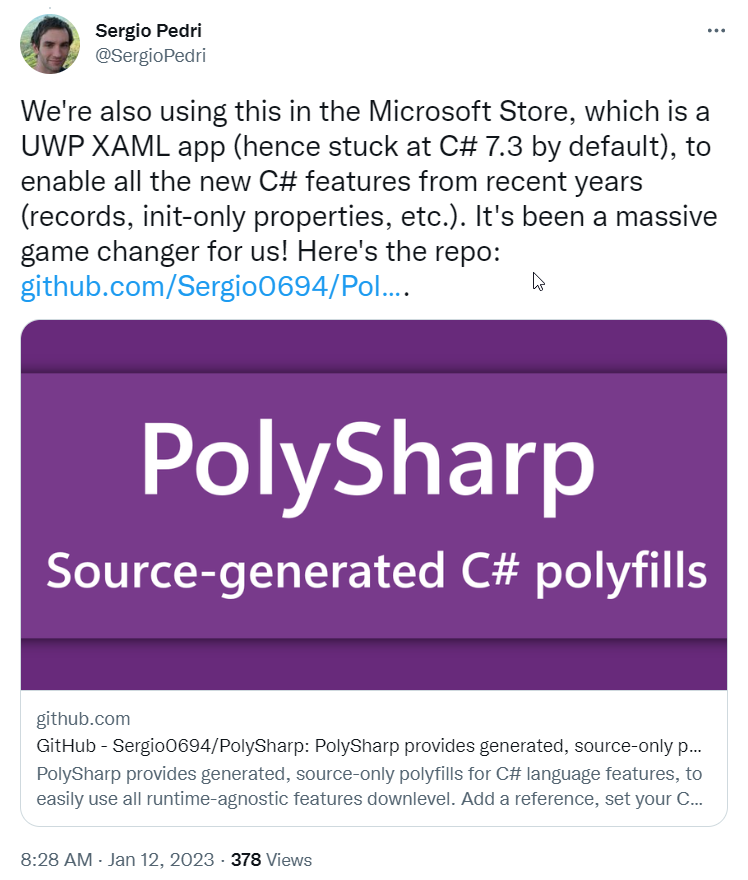
The motivation behind PolySharp is to adress this very issue. It allows developers to enable the latest version of C# compiler while targeting older versions of the .NET framework which would normally be incompatible.
It does it’s magic by filling the gaps that makes the compiler complain when using modern syntax. Using source generators, PolySharp detects the missing types required for the features that are not implemented in the (older) target framework and inject the appropriate polyfills.
Fun fact, the library is already being used internally at Microsoft with positive impact, which gives me confidence on its future.
Configure your project to use PolySharp
Let’s start from the ground up and see how easy it is to configure a Dataverse Plugin project that target C#11 and leverages PolySharp.
To follow along, you can find the sample project I used for the blog post in this github repo.
(Pre-requisite) Enable PackageReference mode
To be compatible with PolySharp it’s mandatory to set the Package Management mode of the project to PackageReference. Ensure that your Visual Studio settings is correctly set here.
Tools-> NuGet Package Manager -> Package Manager Settings
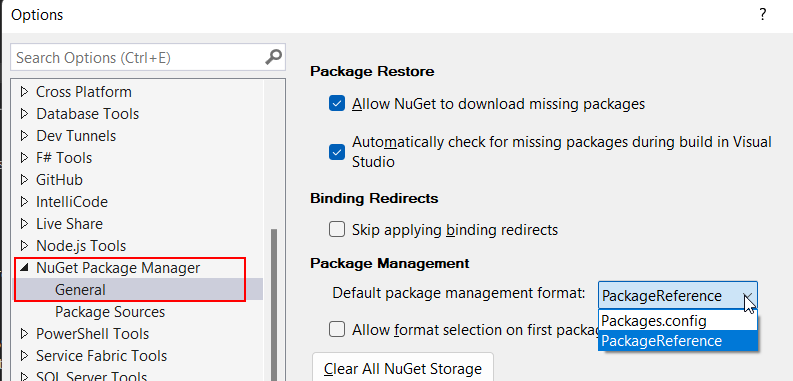
If you start from a project is already in packages.config mode, you can easily migrate. See the official documentation here
1- Create a Dataverse plugin project
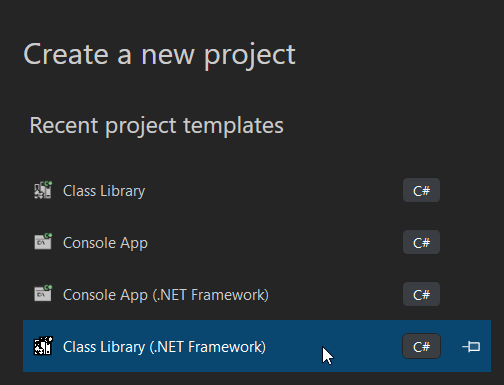
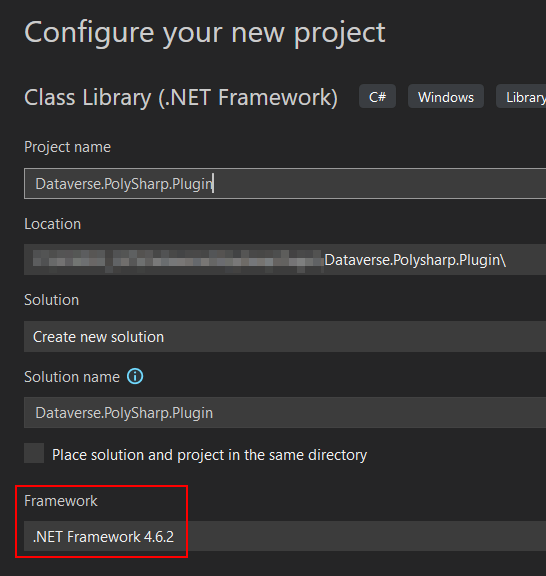
To begin we need to a class library project that targets the .NET Framework 4.6.2. Easiest way is to fire up Visual Studio and and create a new project using the Class Library (.NET Framework) template.
2- Install Dependencies
Now, install the required nuget packages, at the minimum install these 2 packages.

At this point, the PolySharp source generator should be visible in the Analyzers node of the projects References section. We are almost there …
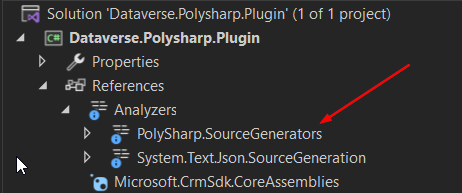
3- Bump the Language version in the csproj file
Now, to ensure that the project is compiled using the latest version of C#, navigate to the project’s csproj file and insert the following line of code within the first PropertyGroup node.
<LangVersion>11.0</LangVersion>
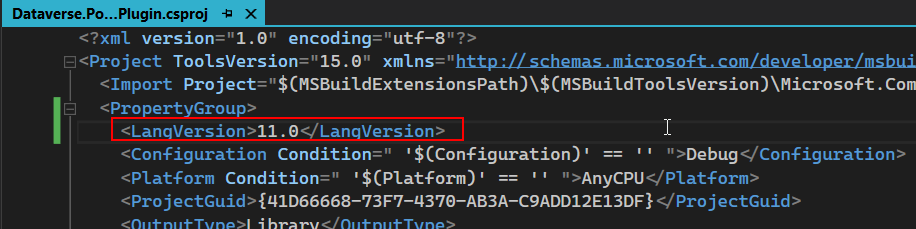
That’s all there is in terms of configuration. From now on, since the project compiles C#11, the latest C# syntax can be used and Intellisense will pick up as well. Thanks to the PolySharp source generator the gaps left by the older framework will be patched with the appropriate polyfills… it’s a pure gem 💎.
Dataverse Plugin Using C#11
To illustrate this in the context of a Dataverse plugin (link to the repo), I will implement a Dataverse Custom API to play RockPaperScissor (✊🖐️✌️) using some of the latest C# features. don’t take this too seriously there’s better ways to code this , I just want to showcase the new syntax.
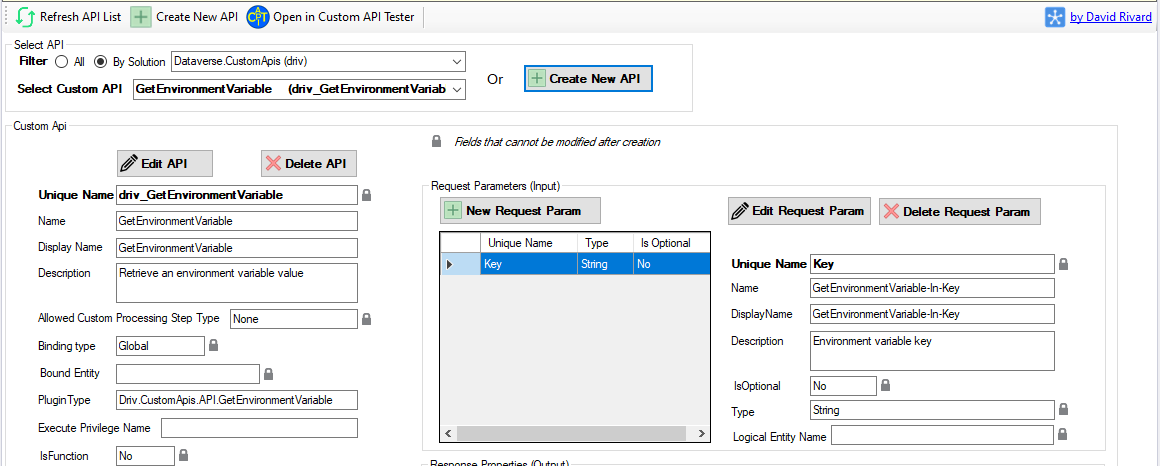
The Custom API takes the name of the player and the hand (rock, paper or scissor) as input and send back the result of a game against the computer. The Custom API will execute the plugin Dataverse.Polysharp.Plugin.RockPaperScissor from the project (see code below)
Screenshot taken from my Custom API Manager tool for XrmToolbox. Shameless plug 🔌
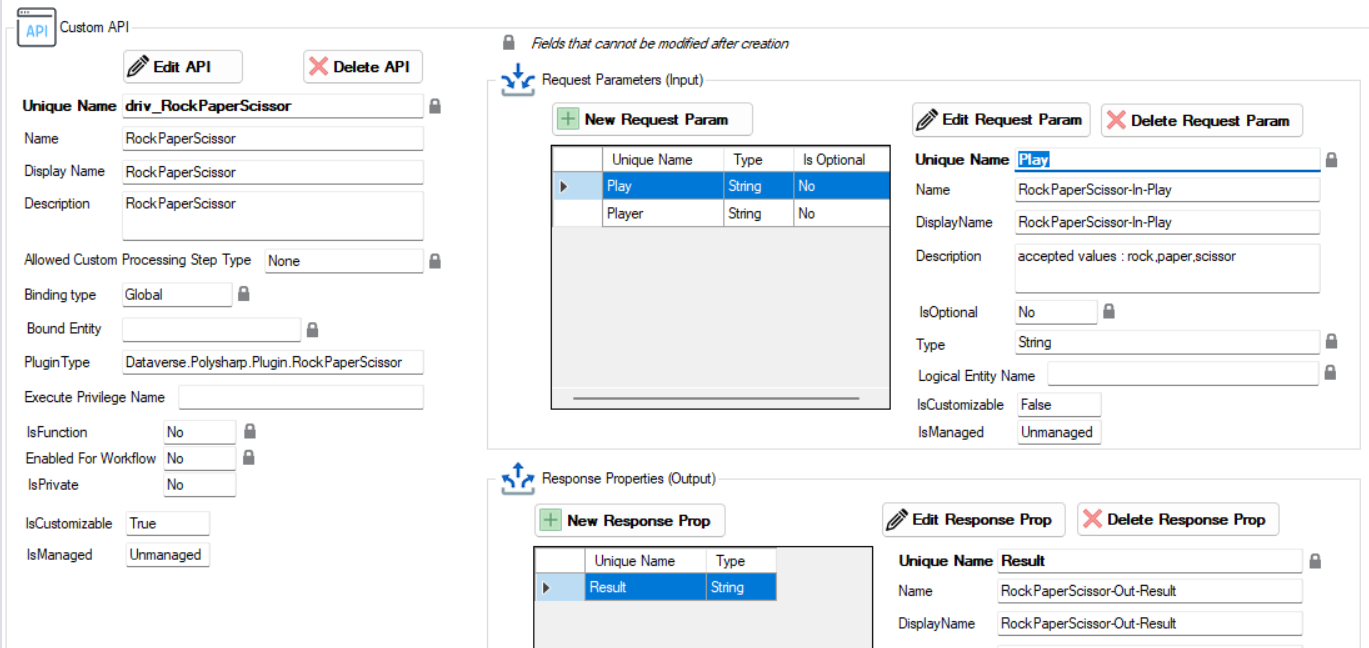
By looking at the plugin code, you can spot at least 5 usages of modern C# syntax that are natively unavailable to .NET Framework 4.6.2, yet everything compiles flawlessly.
- Global usings : it really helps to de-clutter the top of each files
- File-scoped namespace : reduces the nesting of the file and give back some real estate
- Record: usage of the new record struct with init-only properties
- Raw string litterals : makes it easier to deal with multiline strings that contains brackets and quotes. Very useful to write json strings
- Pattern matching and modern switch statement
Once the assembly is compiled and deployed to the Dataverse environment, the RockPaperScissor custom API can be invoked and the business logic is executed.
To test the API, I’m using the Custom API Tester XrmToolbox tool from Jonas Rapp
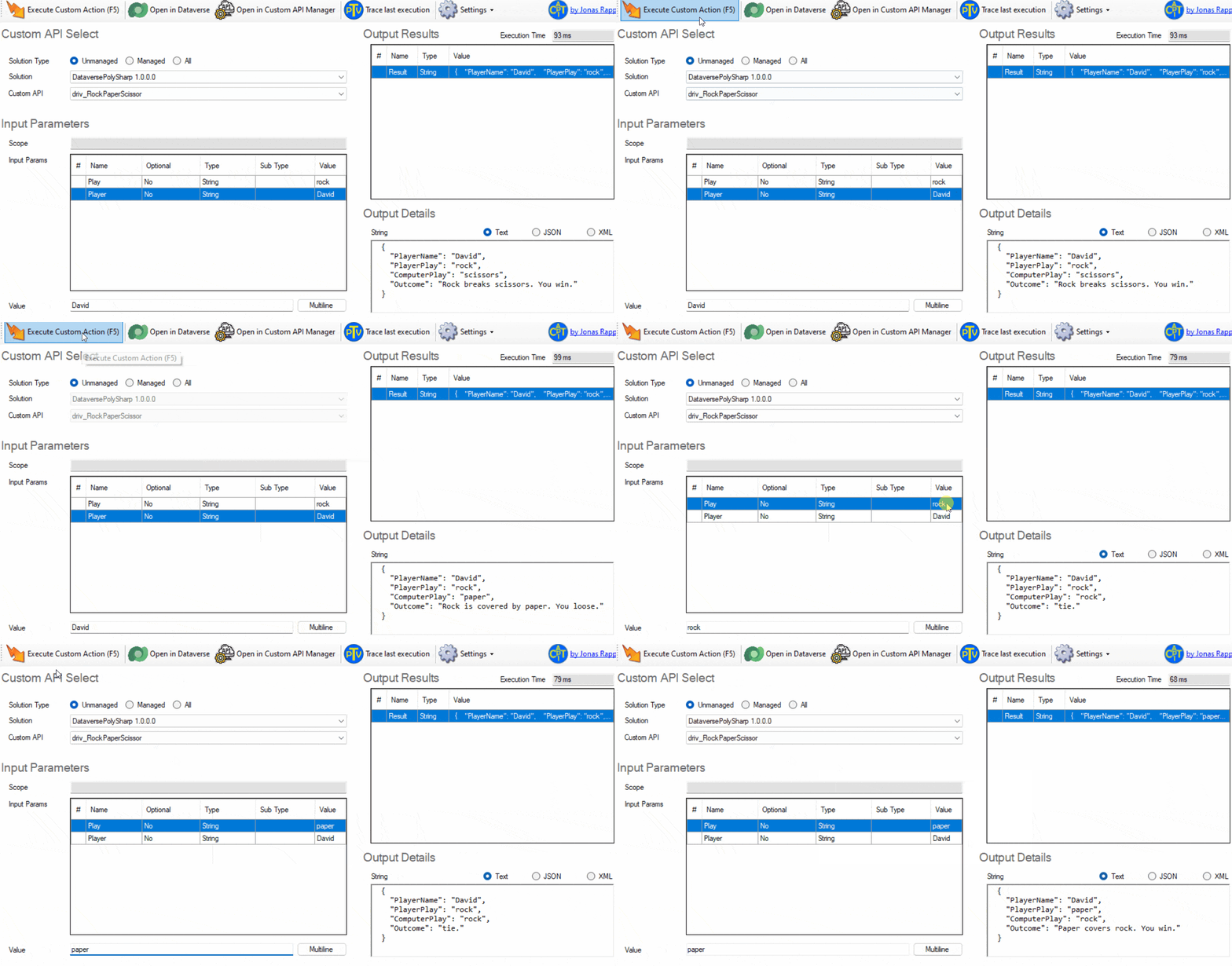
How cool is that! We just executed a C#11-enabled Dataverse Plugin🤯
TakeAway
For me, this is a real game changer and I can’t wait to step out of the dark ages and test PolySharp on my real Dataverse plugin codebases. I see a lot of potential not only for plugins but also for XrmToolbox tool authoring.
Dont forget to star⭐ the PolySharp project on Github if you like it!
I also recommend this video by Nick Chapsas that test drives the library.
 watch?v=RgKa-tjnUMA
www.youtube.com
watch?v=RgKa-tjnUMA
www.youtube.com
Links
 GitHub - Sergio0694/PolySharp: PolySharp provides generated, source-only polyfills for C# language features, to easily use all runtime-agnostic features downlevel. Add a reference, set your C# version to latest and have fun! 🚀
PolySharp provides generated, source-only polyfills for C# language features, to easily use all runtime-agnostic features downlevel. Add a reference, set your C# version to latest and have fun! 🚀 -...
github.com
GitHub - Sergio0694/PolySharp: PolySharp provides generated, source-only polyfills for C# language features, to easily use all runtime-agnostic features downlevel. Add a reference, set your C# version to latest and have fun! 🚀
PolySharp provides generated, source-only polyfills for C# language features, to easily use all runtime-agnostic features downlevel. Add a reference, set your C# version to latest and have fun! 🚀 -...
github.com
 GitHub - drivardxrm/Dataverse.Polysharp.Plugin: Testing the Poly# library with on a Dataverse plugin project
Testing the Poly# library with on a Dataverse plugin project - GitHub - drivardxrm/Dataverse.Polysharp.Plugin: Testing the Poly# library with on a Dataverse plugin project
github.com
GitHub - drivardxrm/Dataverse.Polysharp.Plugin: Testing the Poly# library with on a Dataverse plugin project
Testing the Poly# library with on a Dataverse plugin project - GitHub - drivardxrm/Dataverse.Polysharp.Plugin: Testing the Poly# library with on a Dataverse plugin project
github.com
 Migrating from packages.config to PackageReference formats
Details on how to migrate a project from the packages.config management format to PackageReference as supported by NuGet 4.0+ and VS2017 and .NET Core 2.0
learn.microsoft.com
Migrating from packages.config to PackageReference formats
Details on how to migrate a project from the packages.config management format to PackageReference as supported by NuGet 4.0+ and VS2017 and .NET Core 2.0
learn.microsoft.com
 Custom API Manager for XrmToolBox
Like most Power Platform developers, I am a heavy user of the XrmToolBox. This is the story of creating a tool to contribute to the community.
itmustbecode.com
Custom API Manager for XrmToolBox
Like most Power Platform developers, I am a heavy user of the XrmToolBox. This is the story of creating a tool to contribute to the community.
itmustbecode.com
 Custom API Tester · XrmToolBox
Browse Custom APIs, enter input parameters, execute the action, investigate output parameters.
www.xrmtoolbox.com
Custom API Tester · XrmToolBox
Browse Custom APIs, enter input parameters, execute the action, investigate output parameters.
www.xrmtoolbox.com