
JSON files are one of the most common and convenient ways to store structured data. They’re lightweight, human-readable, and easy to parse in JavaScript. In PCF Control development, they can be used a quick and convenient way to store and access static data.
In this post, I’ll show you how to easily configure your PCF control projects to bundle static JSON files and resolve their contents at runtime.

How it started
It all started when I began receiving complaints that my open-source Country Picker PCF control had suddenly stopped working properly. After some investigation, I realized the issue came from its dependency on a free third-party service used to query the country data—restcountries.
Unfortunately, the owner recently introduced a breaking changes that completely broke the control.
To make the control more stable and self-contained, I decided to remove the dependency on the external API and instead embed a static JSON file containing the list of countries directly into the project. This would ensures the control always loads reliably—no external calls, no surprises.
Enable JSON import support
It is quite straightforward to configure your PCF project to use JSON files. Simply update your tsconfig.json file with these 2 parameters :
"resolveJsonModule": true,
"allowSyntheticDefaultImports": true
"resolveJsonModule" : true" allows TypeScript to import .json files as modules, just like .ts or .tsx files.
"allowSyntheticDefaultImports": true tells TypeScript to allow default-style imports even when the module being imported doesn’t actually have a default export.
This is especially useful for JSON files, because they aren’t native TypeScript modules and don’t provide explicit export syntax.
With these options enabled, it’s now possible to import and consume the content of JSON files like this:
import countriesData from './countries_data.json'

export const getAllCountries = ():Country[] => {

    return countriesData as Country[]

}
This will :
- Recognize the JSON file as a valid module,
- Automatically infer the correct types from the file content (e.g., arrays, objects),
- Allow you to work with the data just like a regular object.
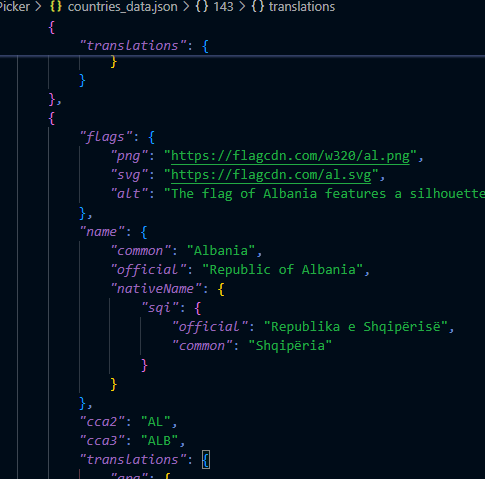
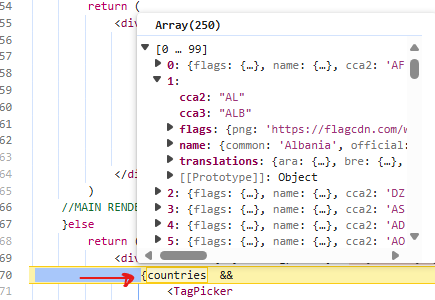
Without these options turned on, you would get a compile-time error when trying to import a JSON file, like:
Cannot find module './countries_data.json'. Consider using '--resolveJsonModule' to import module.
That’s all there is! Now, just add the JSON files to your project — unlike CSS or RESX files, there’s no need to reference them in your control manifest. With resolveJsonModule enabled, TypeScript will automatically bundle the JSON content with your other project files, making it ready to use at runtime.
Take Away
Using this approach, I was able to overcome the issue with my CountryPicker PCF and remove the dependency on restcountries to make the control more performant and reliable.
I also recently ported the control to FluentUI V9 ensuring it blends seamlessly with other fields in model-driven app forms.

👉 Check out the latest release here
There are several use cases where static JSON data can be particularly useful in PCF projects, such as storing environment variables, reference data, or mocking API calls. Just be careful not to bloat your project with unnecessary data, as large JSON files can increase load times
Hope this helps!

Be First to Comment